AMD Ryzen Power Management

Intelligent power.
Zero effort.

RyzenZPilot brings intelligent power management to AMD Ryzen systems, enhancing both productivity and efficiency. It automatically switches power profiles based on active processes, dynamically manages performance, and integrates seamlessly into the system tray.

Download RyzenZPilot See all features ↓
Free for everyone
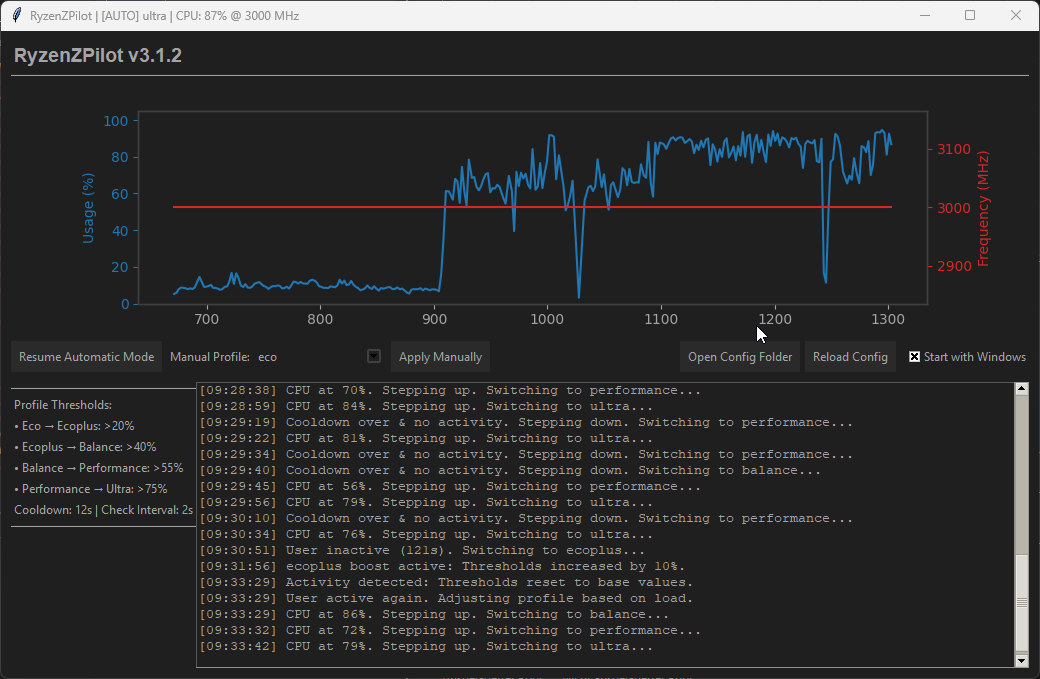
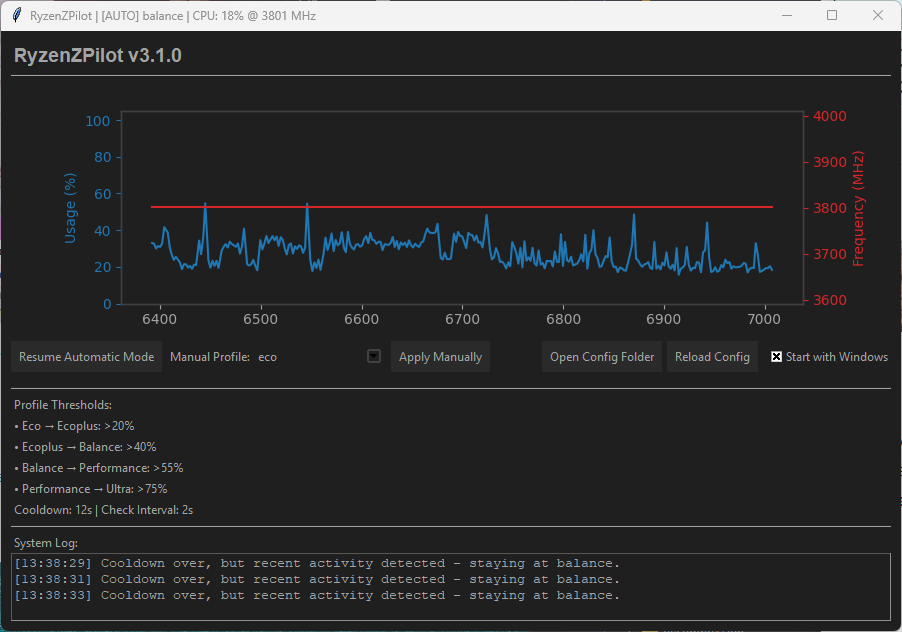
RyzenZPilot main interface showing Silent, Balanced, and Performance profiles
Silent Balanced Performance

RyzenZPilot runs quietly in your system tray and automatically switches between Silent, Balanced, and Performance profiles.

3 Auto Profiles
All Gen AMD Ryzen
1-Click System Tray
$0 Free

How it works.

Three simple steps to automatic power management for your AMD Ryzen system.

1

Download

Get RyzenZPilot-v3.1.5.zip from the official download page.

β†’
2

Extract

Extract all files to any folder on your system.

β†’
3

Run as Admin

Set compatibility to Administrator and start RyzenZPilot.exe.

Trusted by the community.

Reviewed and recommended by publications and platforms across the software space.

AlternativeTo

"A powerful and user-friendly tool for managing AMD Ryzen processor power settings. Perfect for gamers and power users who want automatic profile switching."

Read more β†’
Softpedia

"A reliable solution for AMD Ryzen power management with an intuitive interface and automatic profile detection. Lightweight and efficient."

Read more β†’
Microsoft Store

"Available on the Microsoft Store with easy installation and automatic updates. A must-have for any Ryzen system owner."

View on Store β†’
Product Hunt

"Featured on Product Hunt as an innovative power management tool for AMD Ryzen processors. Discover how RyzenZPilot can optimize your system."

View on Product Hunt β†’

Sponsored

What is RyzenZPilot?

Intelligent power management for AMD Ryzen systems that runs quietly in the background.

RyzenZPilot brings intelligent power management to AMD Ryzen systems, enhancing both productivity and efficiency. It automatically switches power profiles based on active processes, dynamically manages performance, and integrates seamlessly into the system tray.

Built on the RyzenAdj library, RyzenZPilot provides a clean graphical interface for intuitive control of dynamic power managementβ€”all while running quietly in the background to optimize your processor's energy settings.

No more manual power profile changes! RyzenZPilot continuously monitors your active processes and automatically selects the best performance mode for every situation.

Download RyzenZPilot

Some antivirus engines may temporarily flag RyzenZPilot due to heuristic, which is known as a 'false positive.' Independent resources explain why this happens and how to report it for correction. You can verify our builds on VirusTotal and, if needed, contact the affected vendors using their official false-positive channels. We continue to file submissions and monitor reclassifications.

$ md5sum.exe RyzenZPilot-v3.1.5.exe d87000a75e875c36c6d6a2eb9d78d4d5

Sponsored

Why RyzenZPilot?

Common power management frustrations and how RyzenZPilot solves them.

Manual switching between profiles

RyzenZPilot switches automatically based on your active applications.

Complex configuration tools

RyzenZPilot offers a clean graphical interface that anyone can use.

Resource-hungry background apps

RyzenZPilot is a lightweight system tray app with minimal footprint.

No per-process rules

Define ignored and overridden rules for specific applications and system processes.

Difficult configuration

Easy JSON config files let you customize profiles and settings without hassle.

Gaming interruptions

Zero latency switching ensures no frame drops or stuttering during gameplay.

No visibility into active profile

System tray integration gives you instant control and clear status indication.

Expensive licenses

RyzenZPilot is free for everyone. No subscriptions, no bloatware.

Core features.

Everything you need for intelligent AMD Ryzen power management.

Intelligent Autopilot

Automatic switching between Silent, Balanced, and Performance profiles based on your active applications. RyzenZPilot continuously monitors your processes and selects the optimal power mode without any manual intervention.

System Tray Integration

Runs invisibly in the taskbar. One click gives you full control over your power profiles.

Multi-Threading Architecture

Responsive GUI plus a separate worker thread ensures the interface never blocks, even during heavy system monitoring.

Per-Process Rules

Define ignored and overridden rules for specific applications and system processes.

Easy Configuration

Fully customizable profiles and settings via JSON config files. No complicated setup required.

Silent / Balanced / Performance

Three optimized power profiles ready to use. Silent for idle, Balanced for everyday use, Performance for gaming and rendering.

RyzenAdj-based

Built on the proven RyzenAdj library for direct, low-level access to AMD Ryzen power management registers.

Portable No Install

No installation, no registry entries, no system pollution. Extract and run from anywhere, even a USB stick.

RyzenZPilot main interface
Main interface with profile indicators.
Per-process rules configuration
Define ignored and overridden rules for specific processes.
RyzenZPilot system tray view
System tray integration with quick profile switching.

How RyzenZPilot compares.

The smart choice for AMD Ryzen power management.

Feature πŸ† RyzenZPilot Other Tools
Automatic Detection Fully Automatic Manual
System Integration System Tray Separate Windows
Resource Usage Minimal High
Gaming Performance Zero Latency Delays

Sponsored

Built for everyone.

From casual users to professional gamers, RyzenZPilot adapts to your needs.

Gamers

Full power as soon as a game starts, automatically back to energy saving when finished.

Content Creators

Maximum performance for rendering, video editing, and streaming workloads.

Professionals

Perfect balance between performance and energy efficiency for productive work environments.

Everyday Users

Quiet, cool system for daily tasks plus instant power reserves when needed.

Sponsored

Compatible with all AMD Ryzen processors

Ryzen 1000 Series (Zen / Zen+)
Ryzen 2000 Series (Zen+)
Ryzen 3000 Series (Zen 2)
Ryzen 5000 Series (Zen 3)
Ryzen 7000 Series (Zen 4)
Ryzen 7045 Series
Ryzen 8045 Series
Ryzen 8745 Series
Ryzen 8845 Series
Ryzen 8945 Series
Ryzen 9000 Series (Zen 5)
Ryzen 9000HX / HX3D Series
Ryzen AI Max+ 300 / 400 Series
Ryzen 7040 Series (Phoenix)
Ryzen 8040 Series (Hawk Point)
Ryzen AI 300 Series (Strix Point)
Ryzen AI 400 Series (Gorgon Point)

Simple pricing.

RyzenZPilot is fully free today. A planned premium option is coming for users who want extra support.

Free

$0

Unlimited use. No account, no trial clock.

Discover more apps.

Other tools from Tetramatrix for productivity, gaming, and AI-powered workflows.

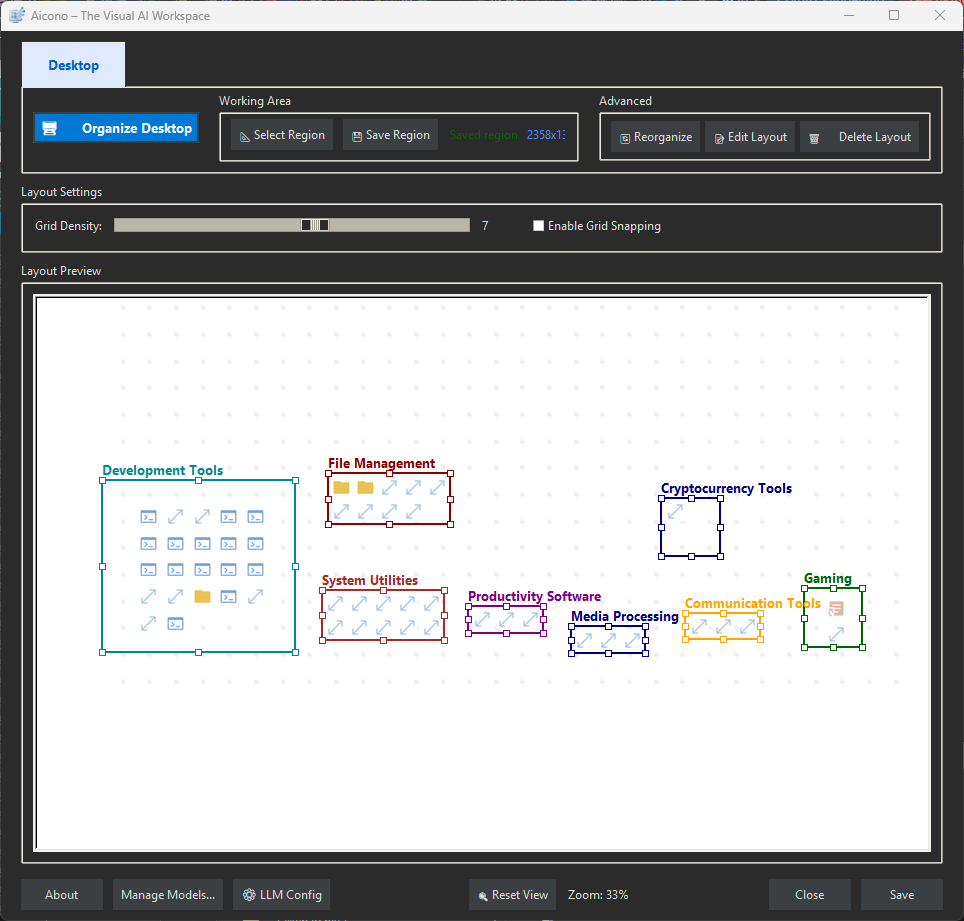
Aicono desktop icon organizer

Aicono

AI Intelligent Desktop Icon Autopilot. Automatically organizes your cluttered Windows desktop using AI. Group icons intelligently, arrange them neatly.

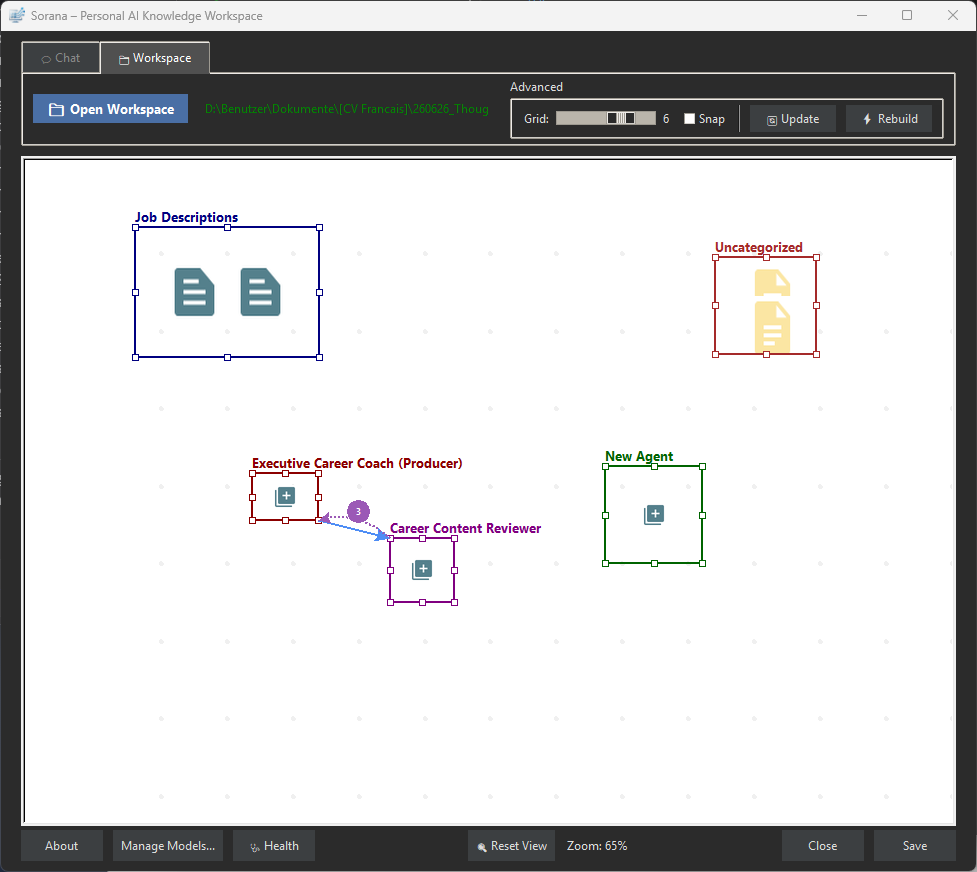
Sorana multi-agent pipeline screenshot

Sorana

Your personal AI knowledge workspace. A second brain that remembers your projects, learns your preferences, and finds any file or note instantly. Runs fully offline on Windows.

TabNeuron AI spatial tab manager

TabNeuron

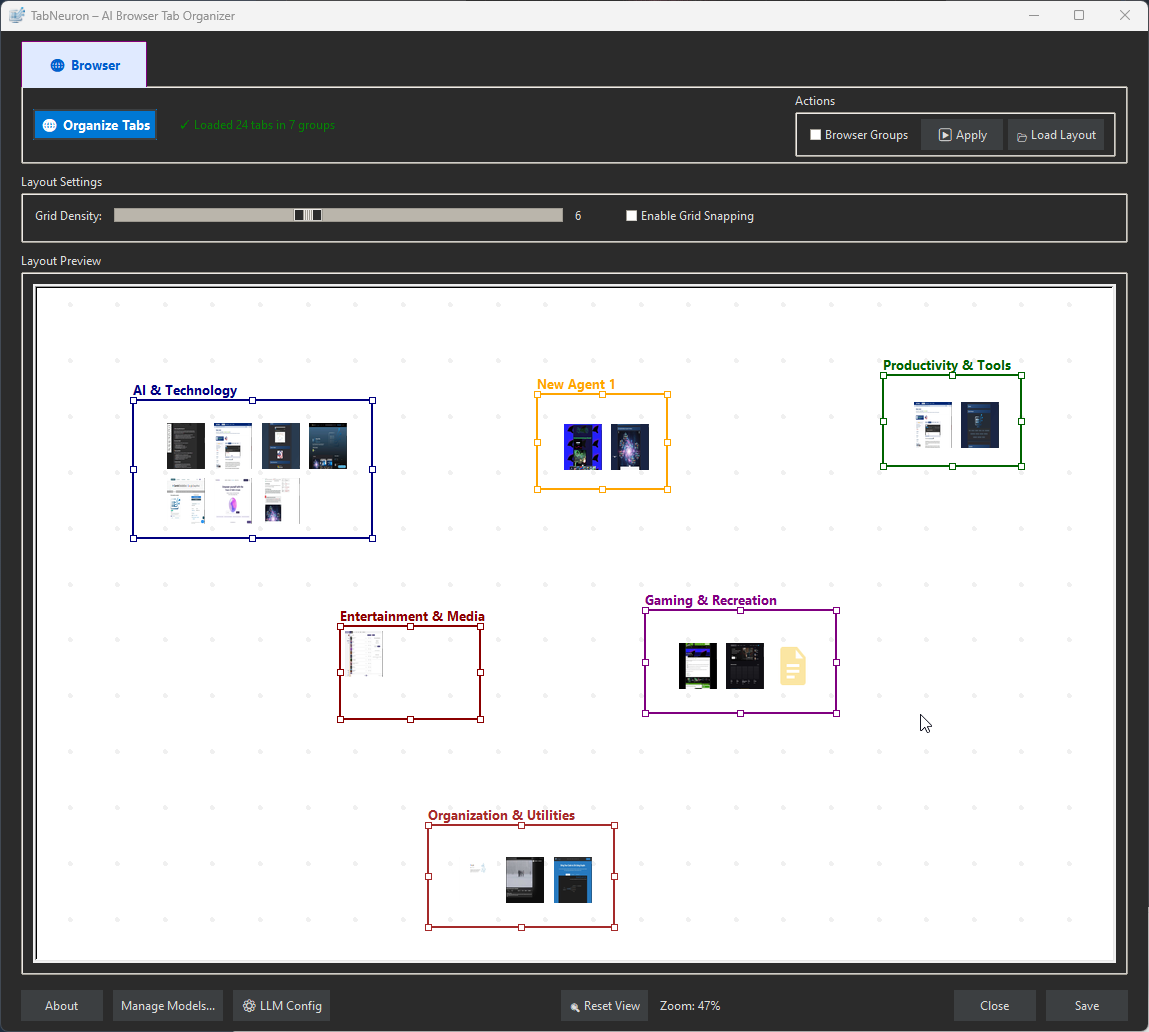
AI Spatial Tab Manager & Research Workspace. Maps browser tabs onto a 2D canvas, AI groups them by content, chat with any page or the live internet, deploy no-code research agents.

New Spaceship

Retro Arcade 2D side-scroller bullet-hell shmup game. Free to play directly in your browser.

Get started in minutes.

Download, extract, and run. No installation required.

AMD Ryzen Processor

Any AMD Ryzen processor (all generations from 1000 to 9000 series, plus Phoenix and Hawk Point).

Windows 10 / 11

64-bit Windows 10 or Windows 11 operating system.

2 GB RAM

Minimum 2 GB of system memory.

50 MB Disk Space

Approximately 50 MB of free disk space for the application.

Administrator Privileges

Administrator privileges are required for power management access.

Sponsored

Ready for intelligent power management?

Download RyzenZPilot now and experience automatic power optimization for your AMD Ryzen system. Free, lightweight, and always improving.

Download RyzenZPilot View on GitHub

Some antivirus engines may temporarily flag RyzenZPilot due to heuristic, which is known as a 'false positive.' Independent resources explain why this happens and how to report it for correction. You can verify our builds on VirusTotal and, if needed, contact the affected vendors using their official false-positive channels. We continue to file submissions and monitor reclassifications.

$ md5sum.exe RyzenZPilot-v3.1.5.exe d87000a75e875c36c6d6a2eb9d78d4d5

Need help?

Join the community, leave a review, or support the project.

Community

Join the Discord server to ask questions, share workflows, and get help from other RyzenZPilot users.

Join Discord

Feedback

Have a question, suggestion, or bug report? Open a discussion or issue on GitHub.

GitHub Feedback

Support development

Donations via PayPal or Bitcoin Cash help keep the project moving. Every bit helps!

Support & Donate

Feedback on AlternativeTo

Leave feedback on AlternativeTo to help others discover RyzenZPilot.

AlternativeTo Feedback